Handled while you do the real work.
LoopX is a Mac app that runs AI agents on a schedule. It fixes the issues it can, drafts replies to your urgent mail and writes your morning brief. You review everything. It never merges and never sends.
Bring your own agent
LoopX ships no model and sells no tokens. It drives the AI CLI you already use and pay for, so there is no extra AI bill and no new account.
- Claude Code
- Codex
- Gemini
- Kimi
- Cursor
- Grok
Why this exists
Give engineers their attention back. Routine triage, status checks and first drafts should not cost a person’s best hours.
What it does for you
Each routine is its own loop, with its own schedule and run history. Two are on by default; switch on the rest when you want them.
- 01
GitLab issues
Issues assigned to you sit untouched
Fixes the ones it can and opens a merge request, answers questions, and asks about anything unclear.
$ loopx run issue-loop▍ Live run- Issue assigned
- Worktree ready
- Lint & tests pass
- Merge request opened
- Waiting for your review
Fix login redirectDraftloop/issue-128 → main · !214
lint ✓tests ✓Merging stays your call.
- 02
Inbox triage
Your inbox buries the urgent mail
Labels new mail and drafts replies to urgent messages. It never sends.
- 03
Topic monitor
Staying current takes hours
Researches your topics and sends a daily briefing.
- 04
Daily digest
You start the day not knowing where things stand
One morning brief: todos, issues, reviews waiting on you, today’s meetings.
- 05
MR review & Pipeline doctor
Review requests and failed pipelines pile up
Pre-reviews merge requests as drafts and diagnoses failed CI.
- 06
Meeting prep
Meetings catch you unprepared
A prep brief before each meeting: agenda, related work, recent mail.
- 07
Stale work sweeper
Work goes quiet and gets forgotten
A weekly list of stale issues and merge requests.
- 08
Release notes
Release notes are tedious
Writes them from the merge requests since the last tag.
- 09
RSS watch & LinkedIn autopilot
Feeds and timelines are noisy
Ranks new items against your interests.
Take the tour
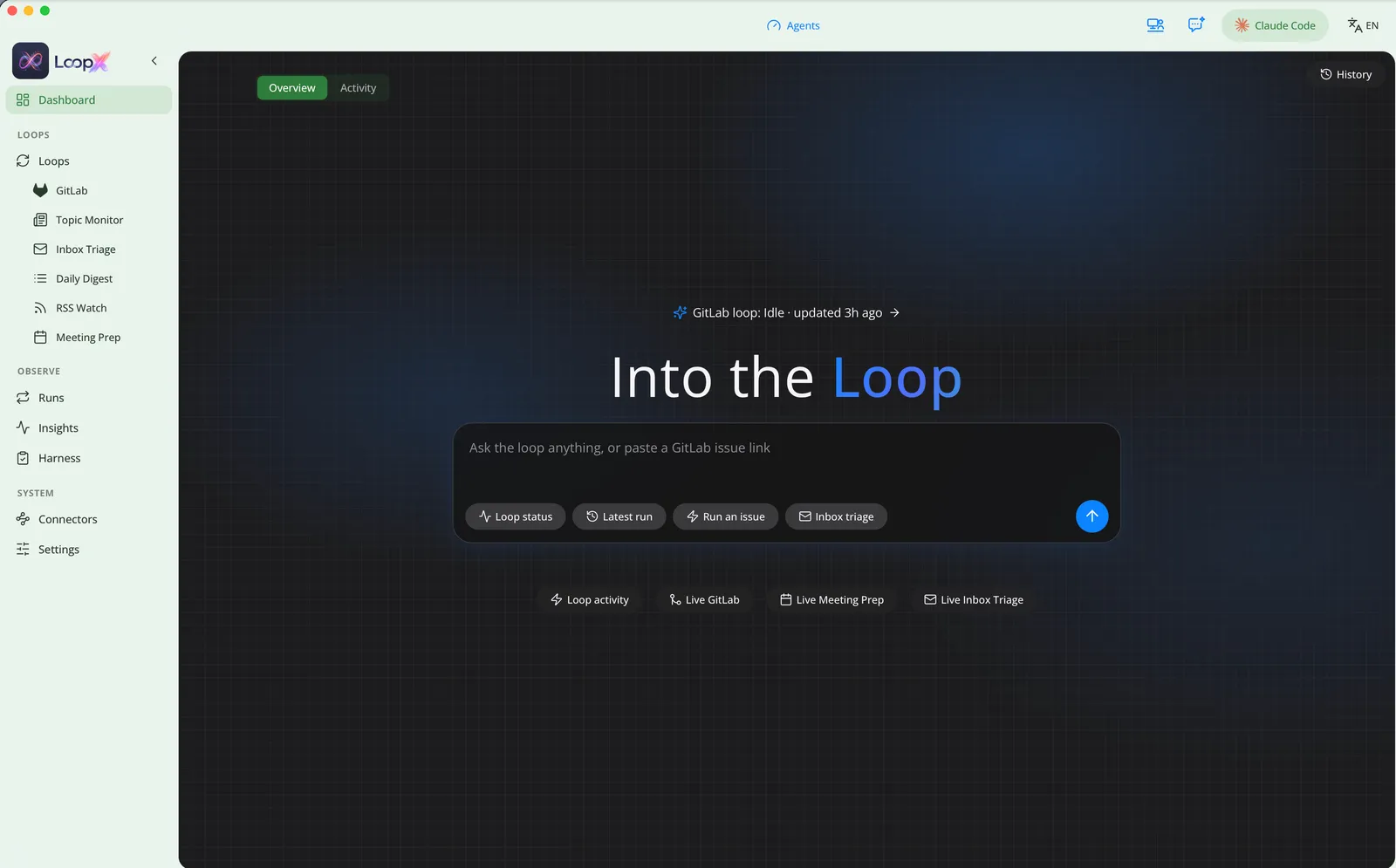
A look around the app. Swipe, use the arrows, or let it play.
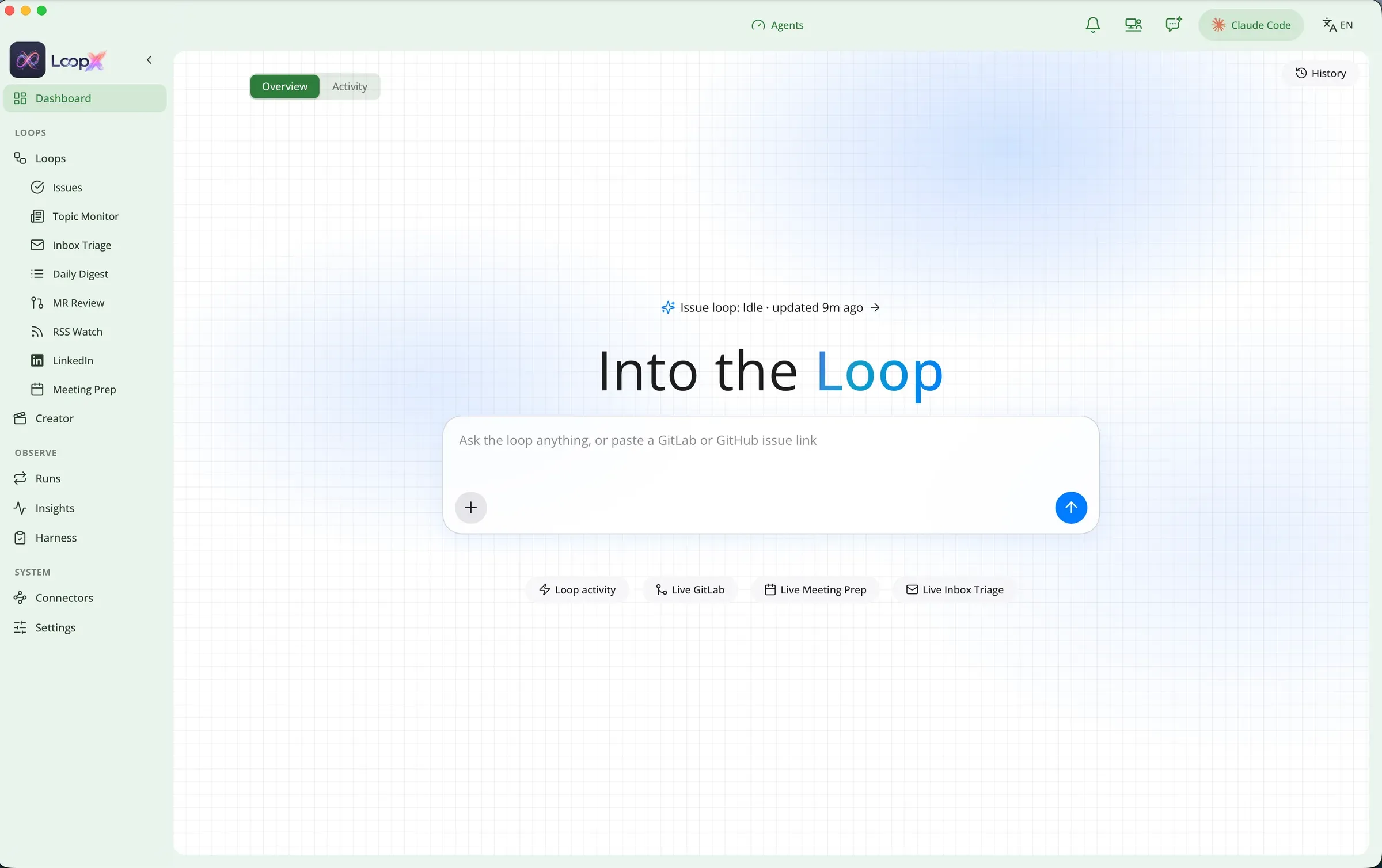
Dashboard
Ask the loop anything, or paste a GitLab or GitHub issue link.
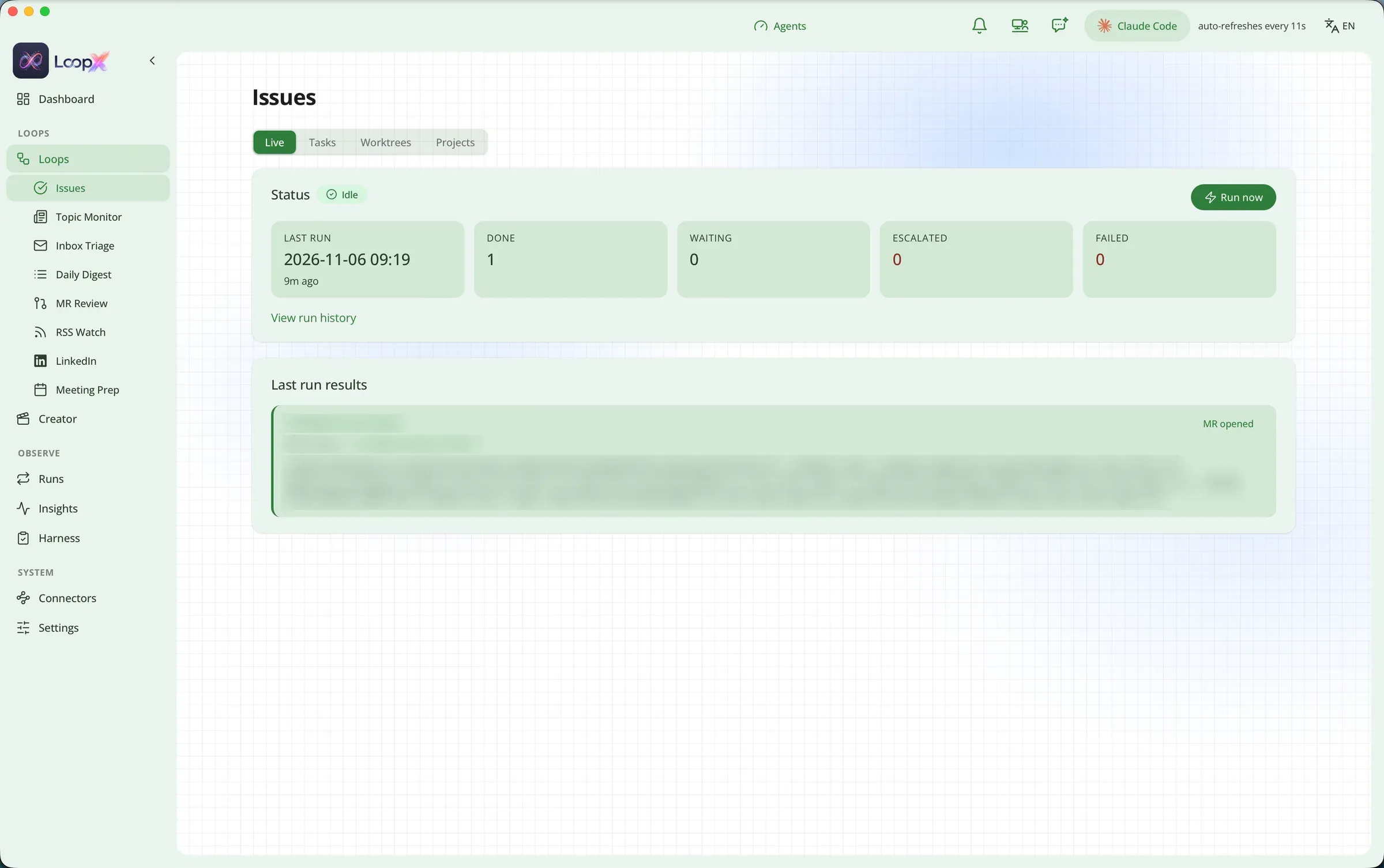
GitLab issues
Every run shows what it did: done, waiting, escalated or failed, and links to the merge request it opened.
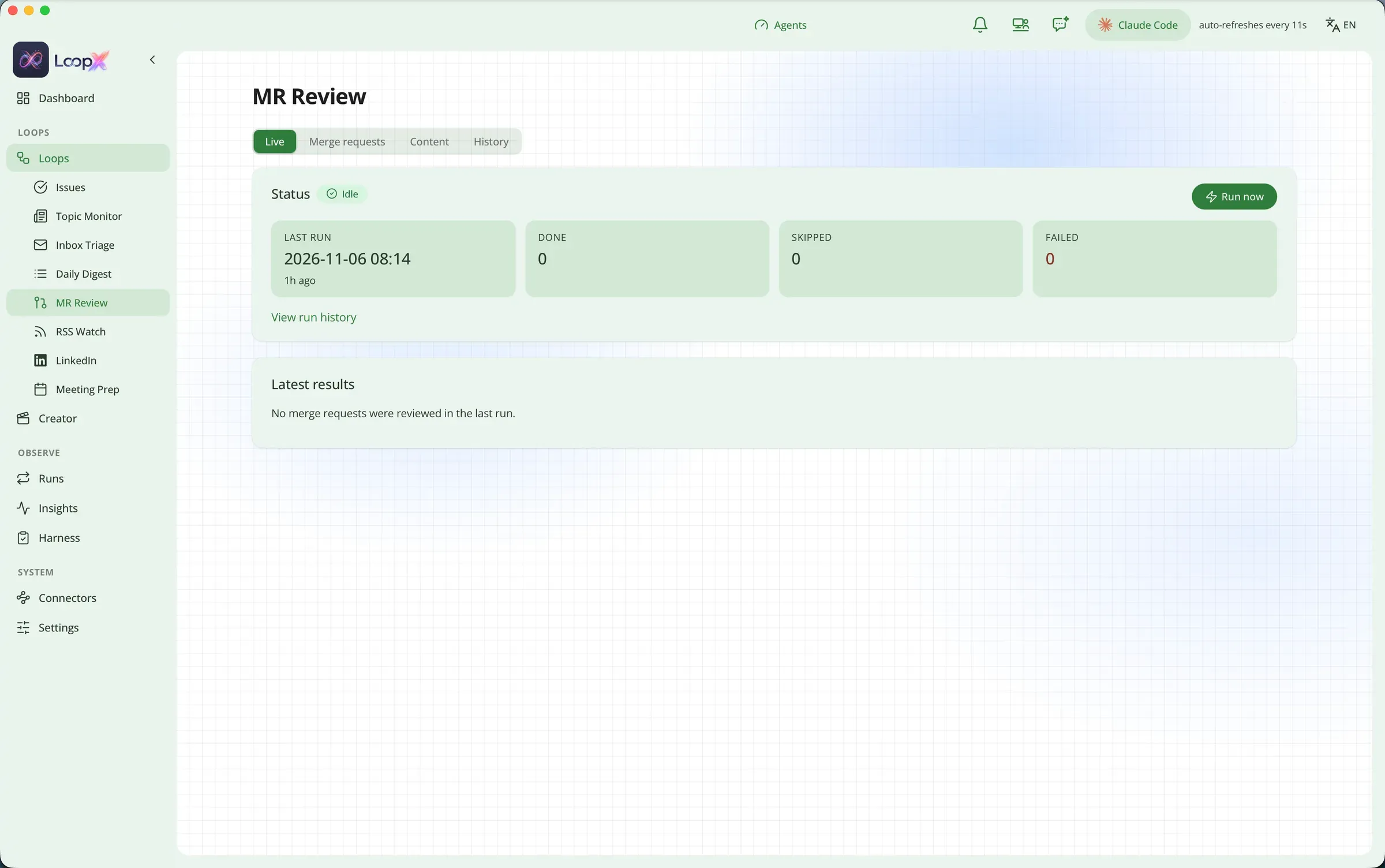
MR review
Pre-reviews merge requests as drafts and keeps a history of what it looked at.
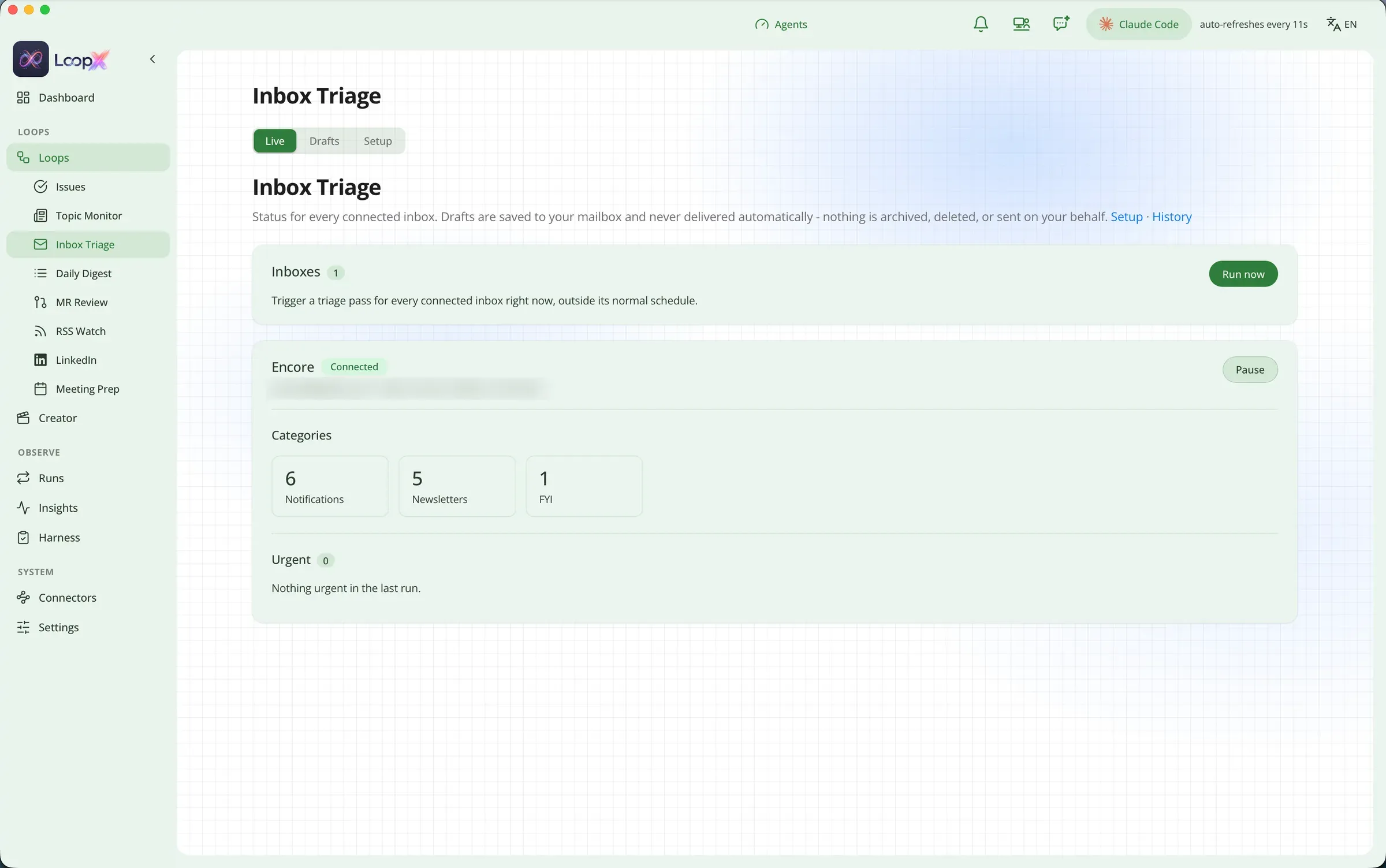
Inbox triage
Sorts each connected inbox into categories and flags what is urgent. Drafts land in your mailbox; nothing is sent, archived or deleted.
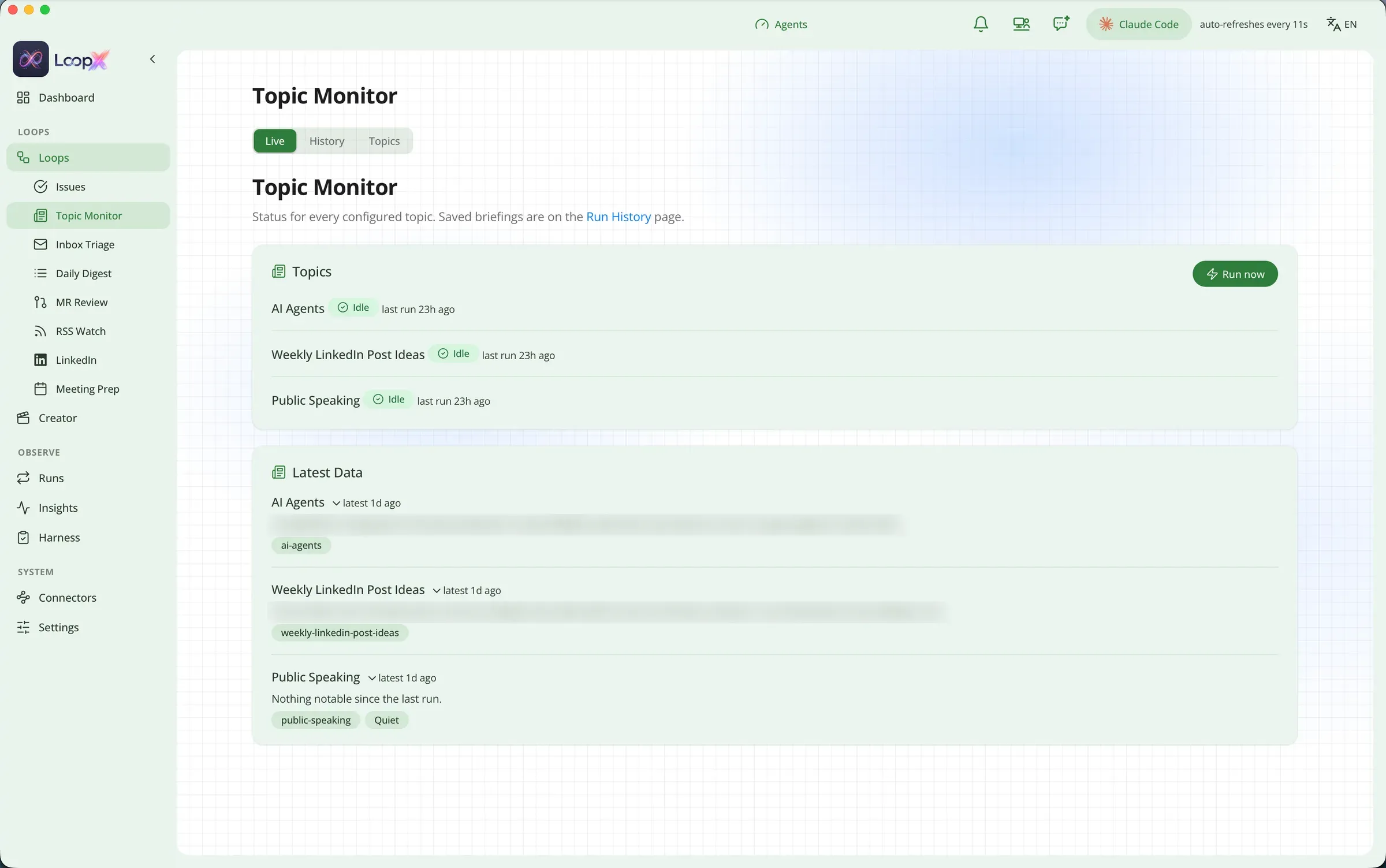
Topic monitor
The topics you follow, each with its latest findings.
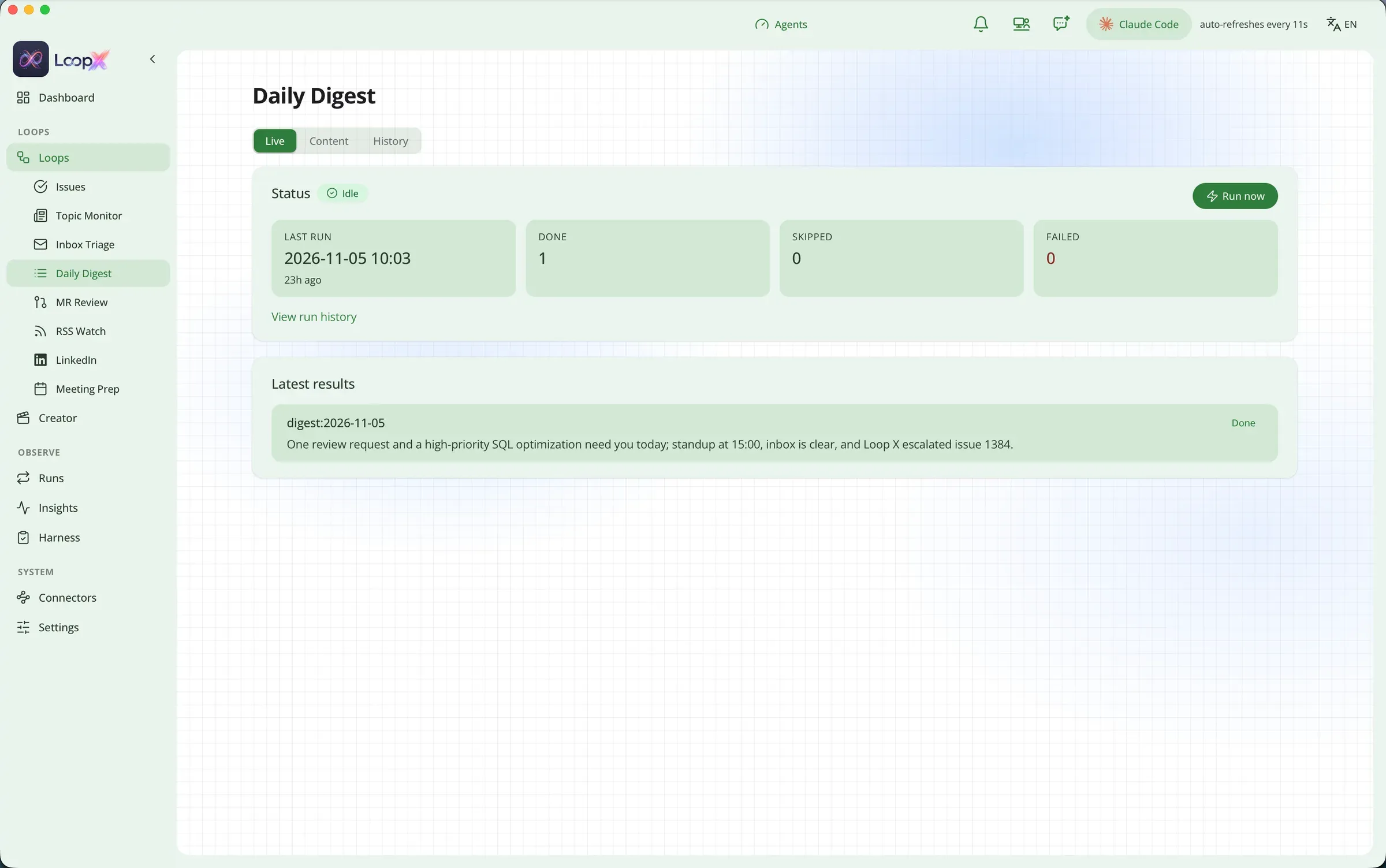
Daily digest
One short brief each morning: what needs you today.
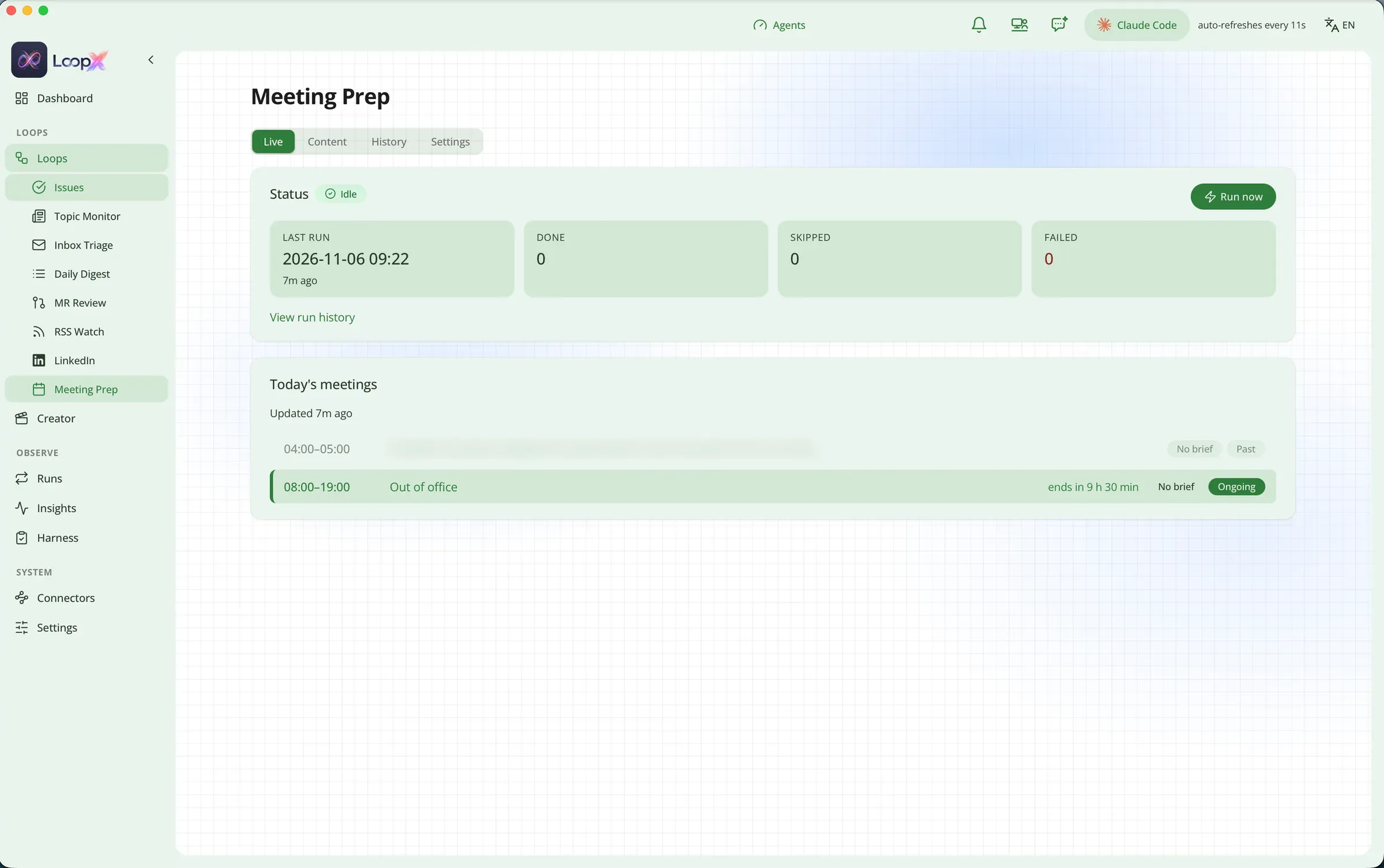
Meeting prep
Today’s meetings in one list, each with a prep brief when one is ready.
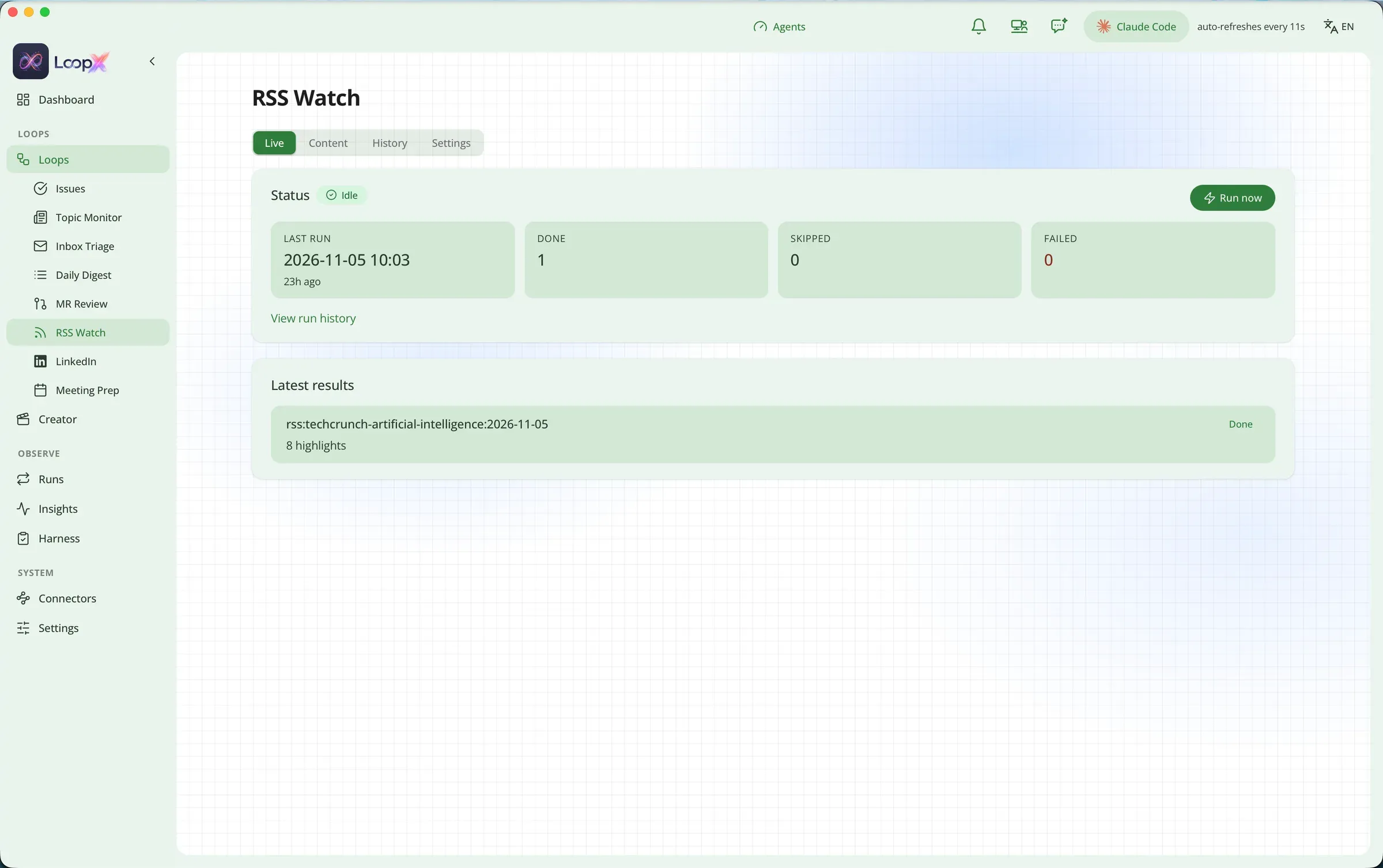
RSS watch
New feed items ranked against your interests, with a short digest.
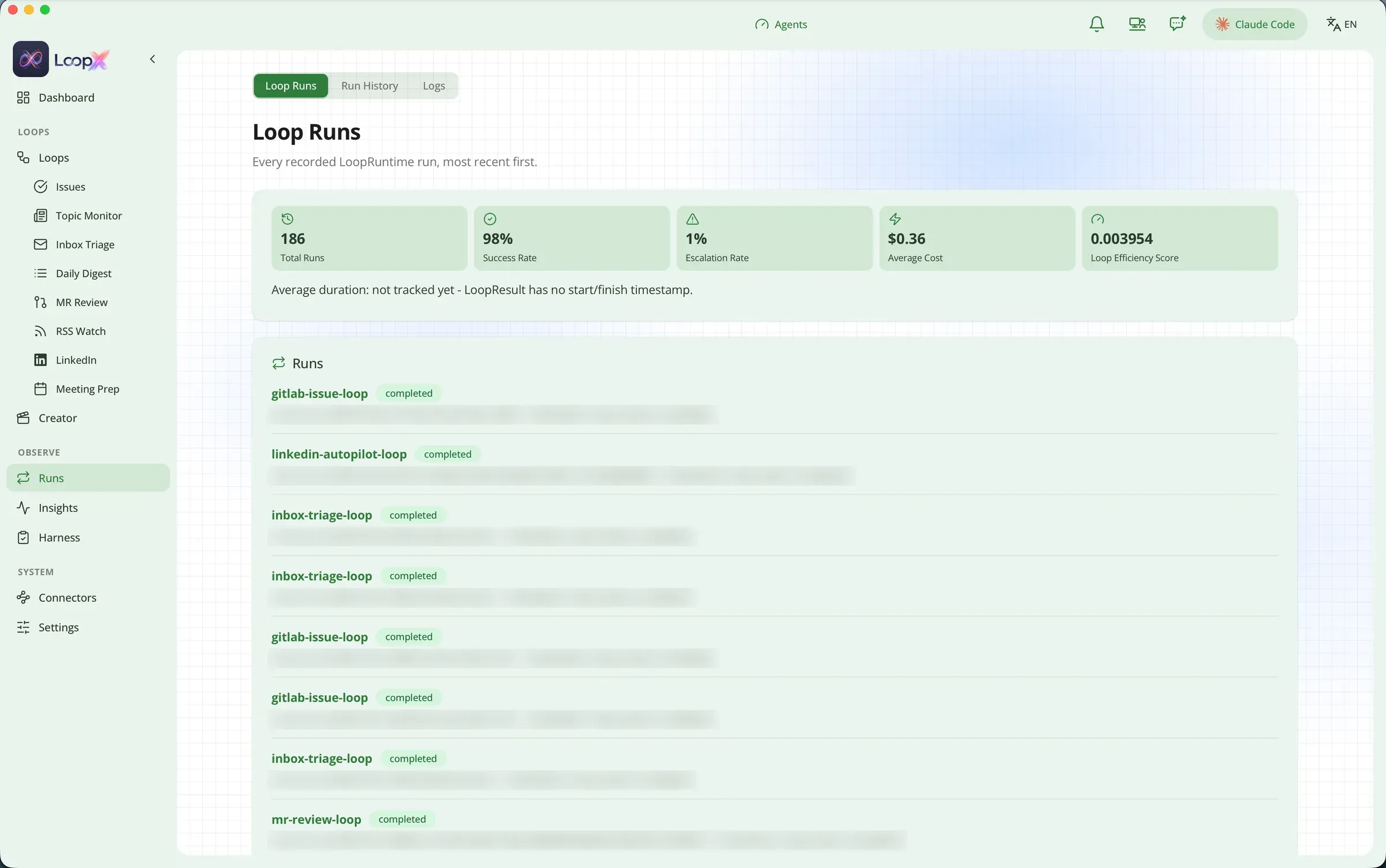
Runs
Every run on record, with success rate, escalation rate and cost, so you can see what happened and why.
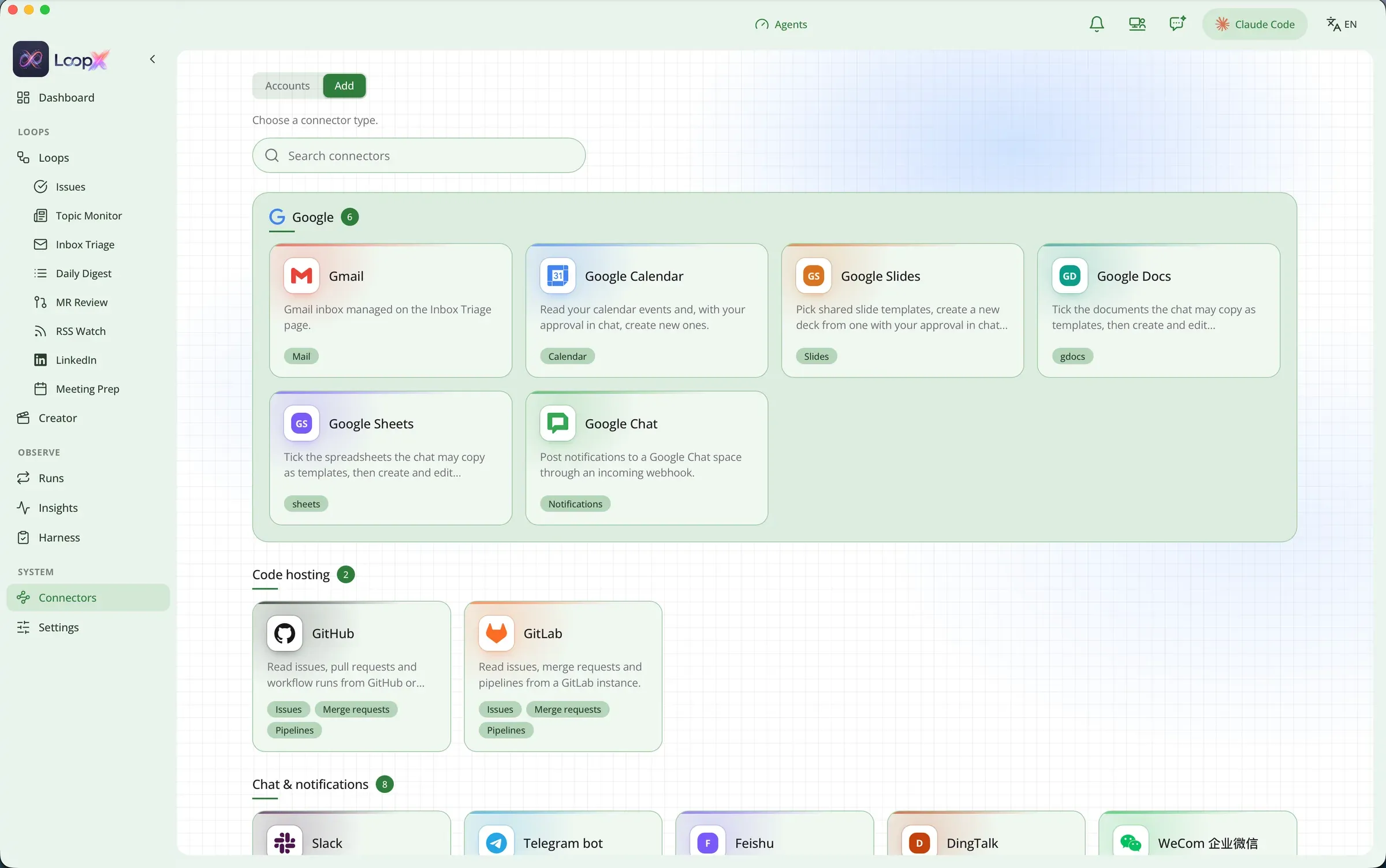
Connectors
Gmail, Google Calendar, Slack, GitLab, GitHub and more. Add one once and every loop can use it.
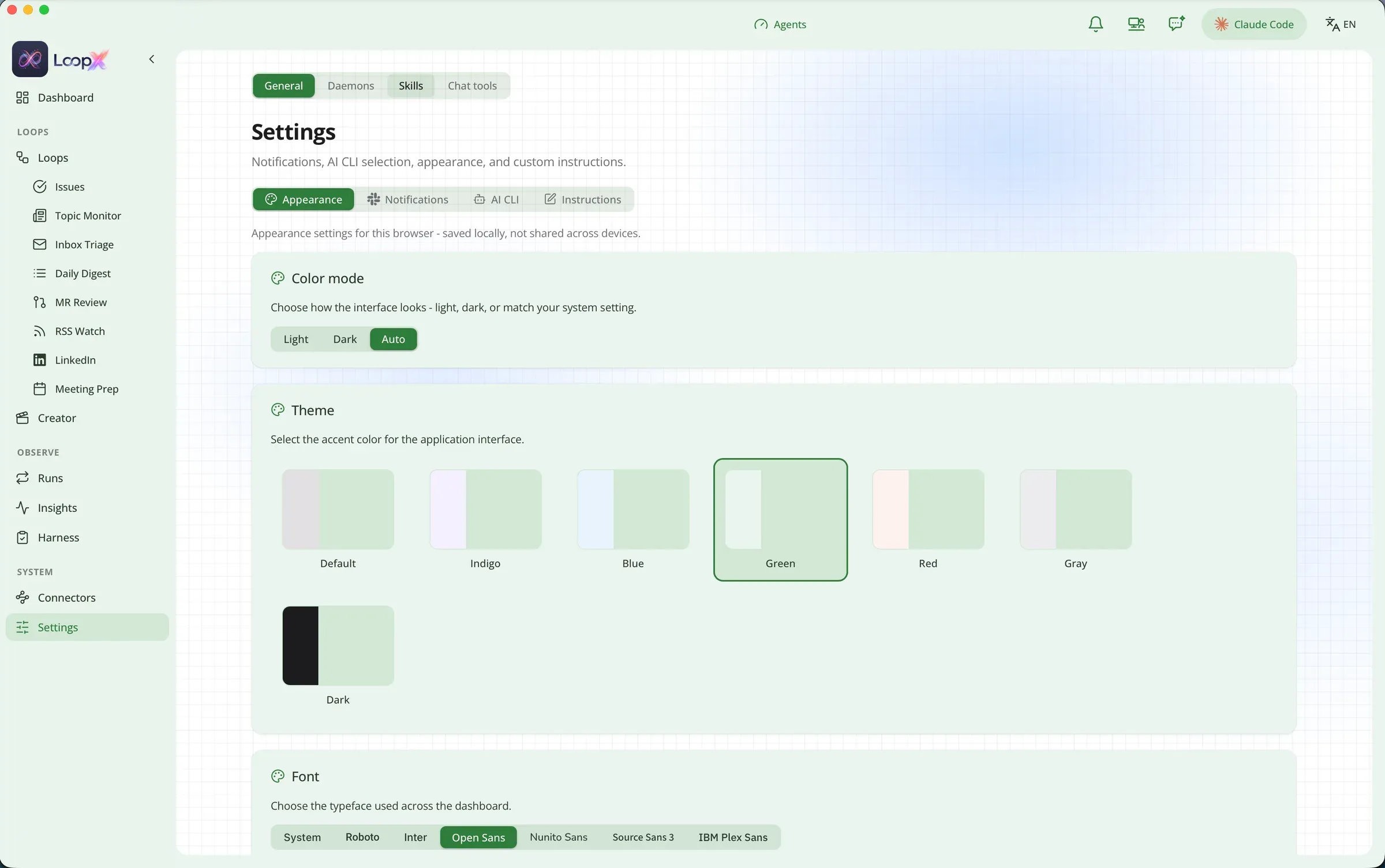
Settings
Light, dark or automatic. Accent colors, fonts, and the AI CLI you want to use.
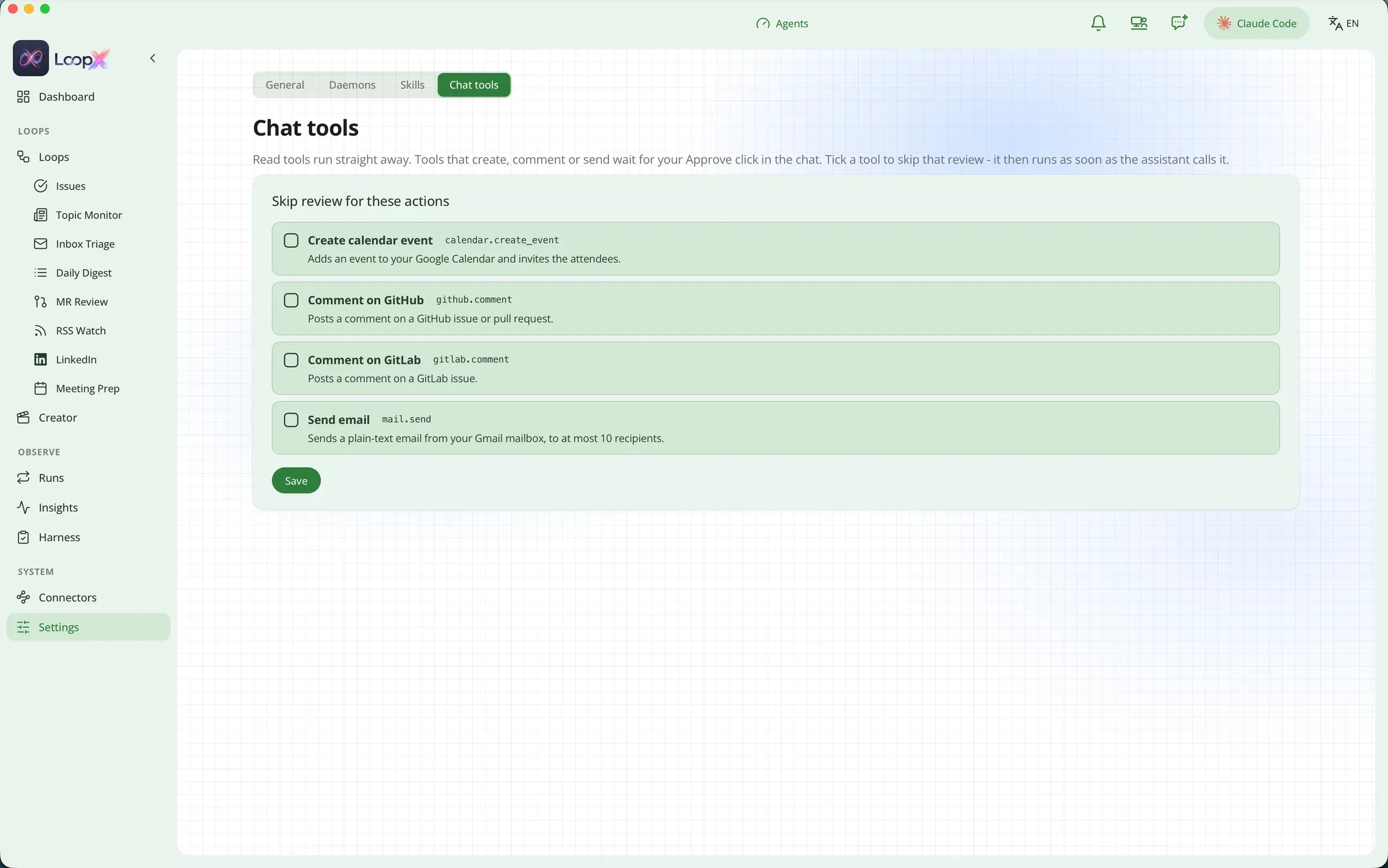
Chat tools
Choose which actions the assistant may take without asking. Everything else waits for your approval.

Office
A 3D office with a chat, where you can talk to your agents and watch them work.
Five steps to your first run
- 1
Install
Download the .dmg, or install from the terminal.
- 2
Check your setup
Confirms git, your AI CLI and credentials.
- 3
Tell it what to watch
In the dashboard, open Loops → GitLab Issues → Projects and add your token and projects.
- 4
Try one run
Run a loop by hand and read the result before trusting a schedule.
- 5
Let it run
In Settings → Daemons, load the scheduler. Each loop now runs on its own schedule.
The lines it won’t cross
-
It never merges
It stops at an open merge request. Merging is always your call.
-
It never sends email
Replies are drafts. It never deletes or moves mail.
-
Only your projects
Changes happen on an isolated branch and worktree, and only when your own lint and tests pass.
-
Secrets stay local
Tokens live in the macOS Keychain, never in plain files. Nothing is hosted for you.
Questions people ask
What is LoopX?
LoopX is a free, open-source Mac app that runs AI agents on a schedule. Each routine, called a loop, handles work like GitLab issues, inbox triage, merge request review, meeting prep and a morning brief.
Does LoopX merge code or send email on its own?
No. It stops at an open merge request and saves replies as drafts. It never merges, sends, deletes or moves anything without you.
Do I need an AI subscription?
You bring your own AI CLI, such as the one you already use and pay for. LoopX ships no model and sells no tokens, so there is no extra AI bill.
Where does my data go?
Everything runs locally on your Mac. Tokens are stored in the macOS Keychain, and nothing is hosted for you.
What does LoopX cost, and what does it run on?
LoopX is free under the MIT license and runs on macOS. Install it from the .dmg or with Homebrew.
Give your best hours back to yourself
Free and open source under the MIT license. For macOS.